
Android repair without the guesswork.
Samsung Galaxy, Google Pixel, Motorola, and other Android devices vary widely inside. Start with the exact model so the technician can match the display, battery, port, and part options correctly.
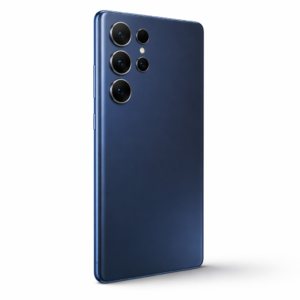
What is the device doing?
The visible damage is one clue. The exact model and behavior help the team separate a direct repair from a diagnostic problem.
- Cracked OLED or LCD display
- Touch failure, lines, flicker, or black image
- Rapid battery drain, heat, or swelling
- USB-C charging or data connection trouble
- Camera, speaker, button, software, or liquid damage
Choose the issue that looks closest.
Find the exact model.
If it is missing, send the model number for a manual check.
Approval stays in the right place.
- 01Find the brand and model
- 02Share the symptoms and any warning message
- 03Compare the available repair and part paths
- 04Approve the current quote before repair
Know the next step.
Availability, timing, and repair options depend on the device, damage, and current parts supply.
See all FAQsDo you repair Android phones beyond Samsung?
The catalog includes multiple Android brands. If the model is not listed, send the model number and symptoms for a manual check.
Can only the broken glass be replaced?
That depends on the display design and whether the image and touch layers still test correctly. The technician will explain the safe options.
Do you use one part grade for every phone?
No. Availability varies by model. Teltaks explains the available original manufacturer and carefully vetted compatible options before approval.
Ready to tell us what happened?
Choose the device and issue. Teltaks confirms the scope and current quote before work begins.
Book a Repair